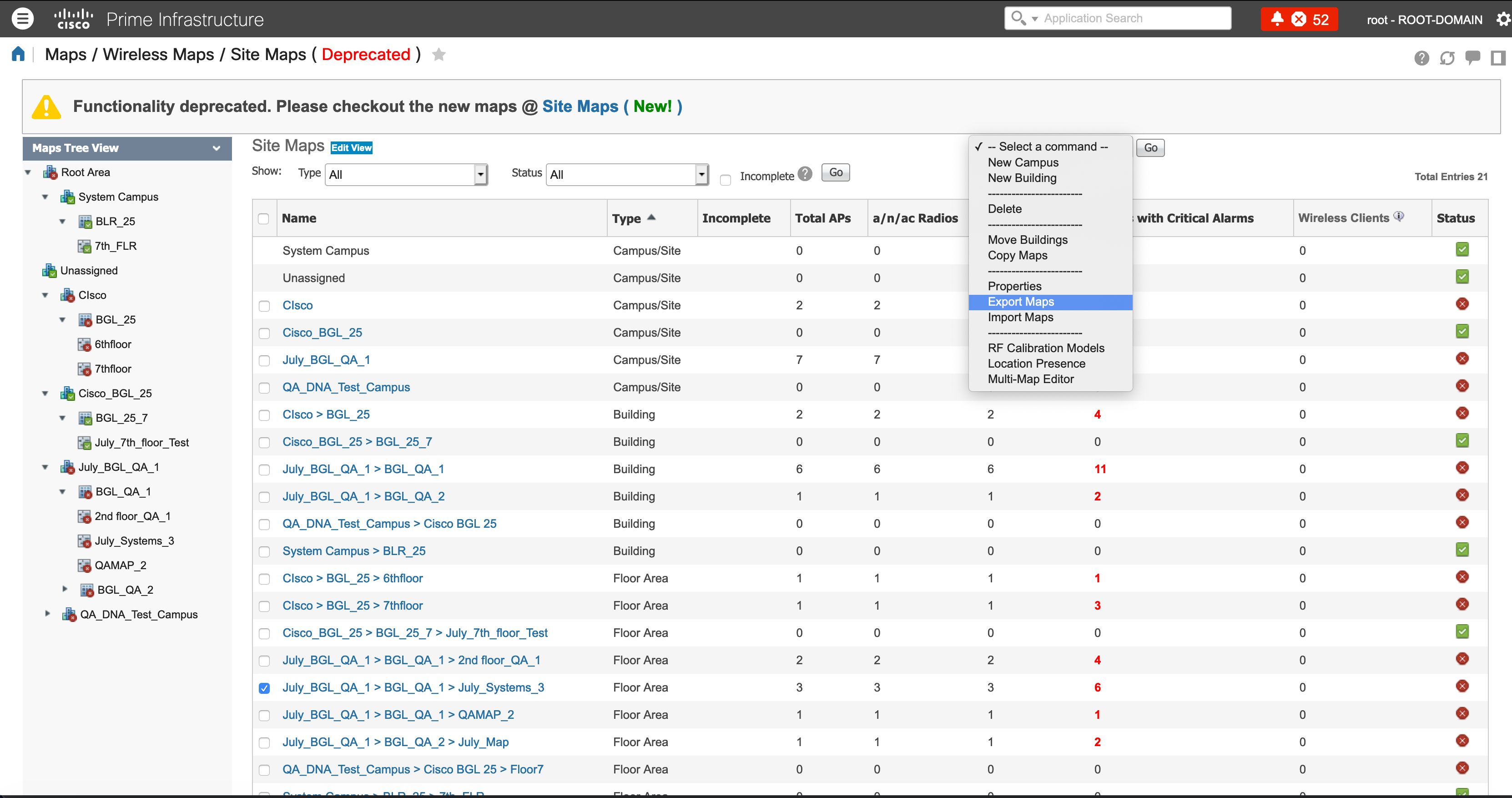
From the “Select a Command’ drop down, select ‘Export Maps’
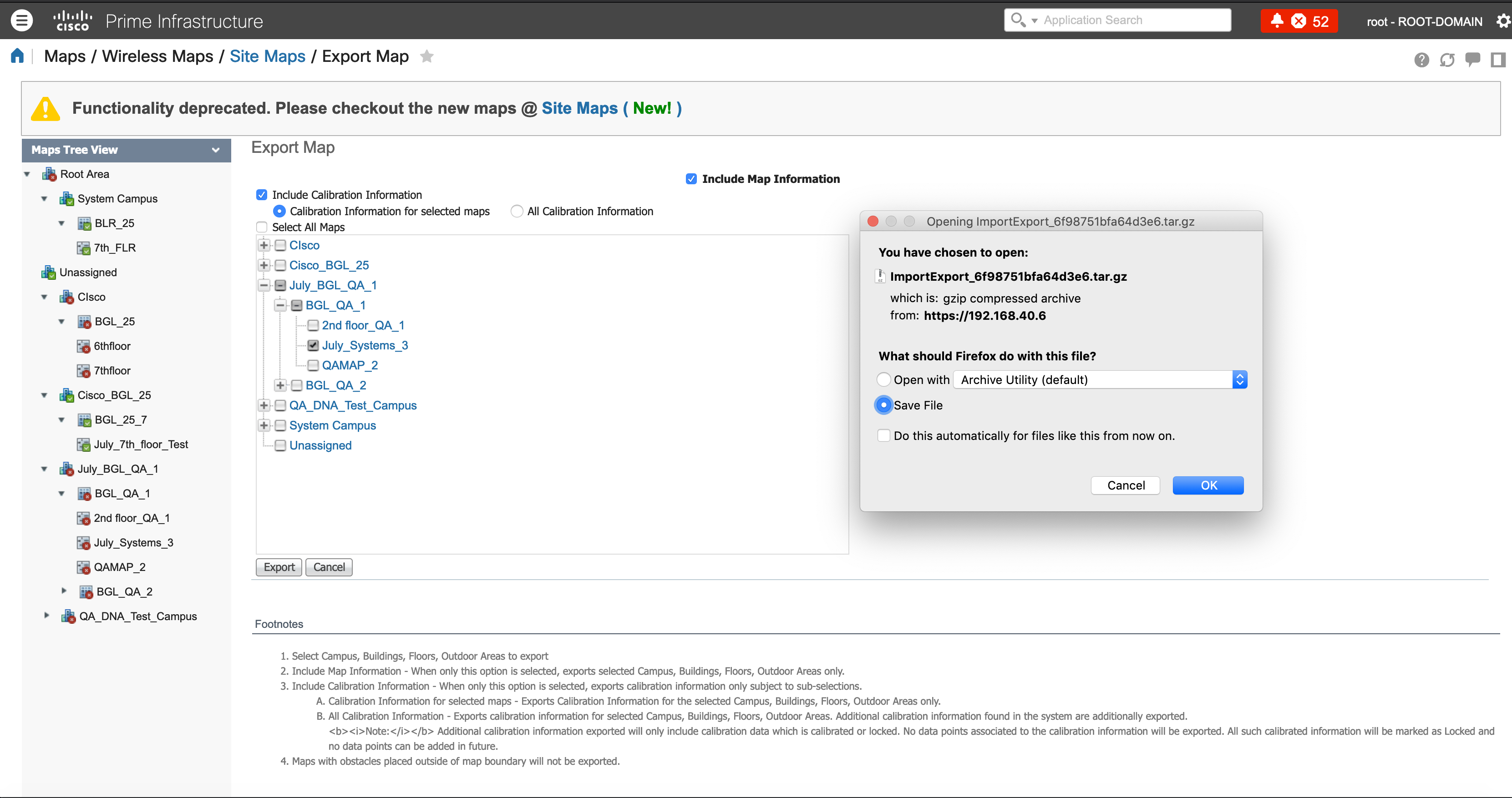
Save the ‘tar.gz’ file on your computer
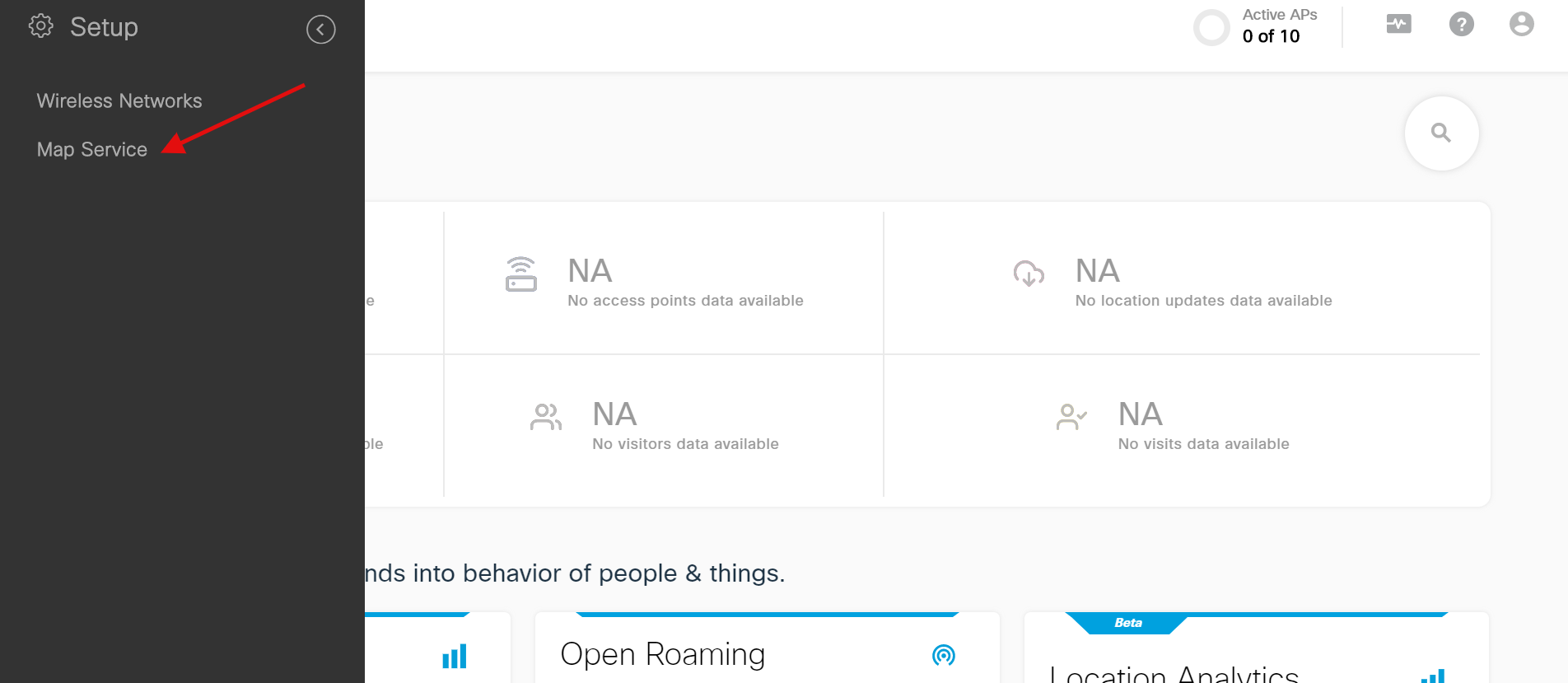
Login to Cisco DNA Spaces account and browse to ‘Setup > Map Service’ from the Hamburger Menu button on the top left corner.
Upload the ‘tar.gz’ file you’ve exported from Cisco Prime. (Wait for few mins for the Maps to be uploaded. Please ignore any file limit message)

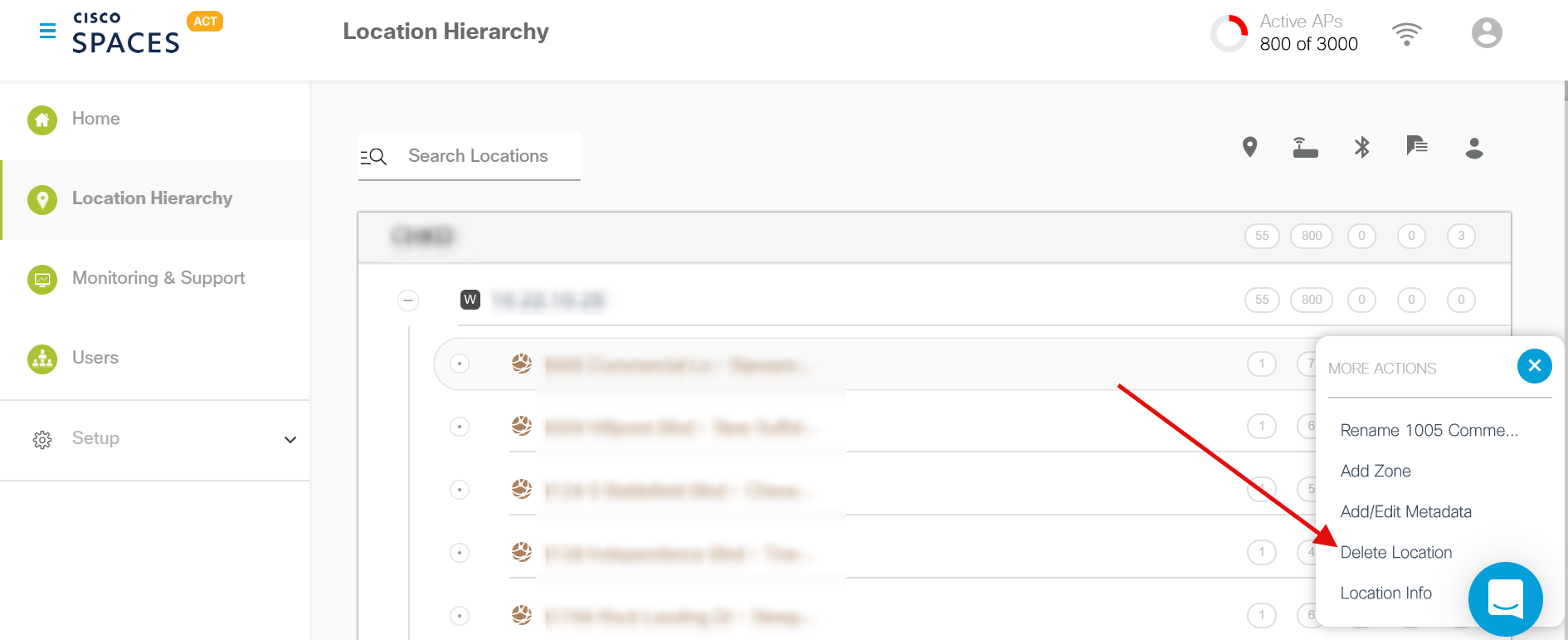
If you had already imported the access points directly into Cisco DNA Spaces in the past, please delete them to avoid duplicacy. If not, skip this step