
Your mission dossier has landed. Briefing starts on Nov 5. Sign up for the Fall Digital Event
Migrate Spaces Connector 2.x to Connector 3 Click here >>
The validator supports Cisco Spaces Design & Deployment Module workflows by checking network design readiness for outcomes such as indoor navigation, BLE asset tracking, UWB highest location accuracy, occupancy analytics, and related smart spaces use cases. It helps teams review whether the access point density, strategic placement, model selection, and floor characteristics can support the intended outcome before relying on the design for deployment.
The validator is intended to augment normal access point planning, design, and validation processes. It does not create a wireless design from scratch or replace RF planning, predictive design, site survey, or post-deployment validation.
What It Is :
Validates planned access point designs for outcomes. Ensures networks are ready for Cisco smart spaces outcomes such as indoor navigation, asset tracking, occupancy analytics, and RTLS.
An augmentation to existing design processes. Complements access point planning tools and partner workflows rather than replacing them, and validates access point placement and density against use case requirements.
A deployment confidence tool for partners and customers. Helps validate the right design for the right use cases. Deployment partners still do everything they do today.
What It Is Not :
Not a tool that creates access point designs from scratch. It does not perform full, detailed Wi-Fi RF planning.
Not a substitute for installation or deployment. It does not replace on-site deployment or RF validation.
Not a replacement for an existing Wi-Fi planning process or design tools. It works with your current planning workflows and tools.
Who this is for:
Before using Smart Spaces Validator, you will need a planned or existing access point design from Ekahau or Hamina. The validator works best when the input projects have followed the recommended pre-requisites for Cisco Spaces to evaluate the floor, access point placement, and intended outcomes.
Pre-requisites for successful validation before you upload your project file:
The below is an example of the RF Predictive Design meeting all the pre-requisites, and it is ready to be uploaded into Smart Spaces Validator:
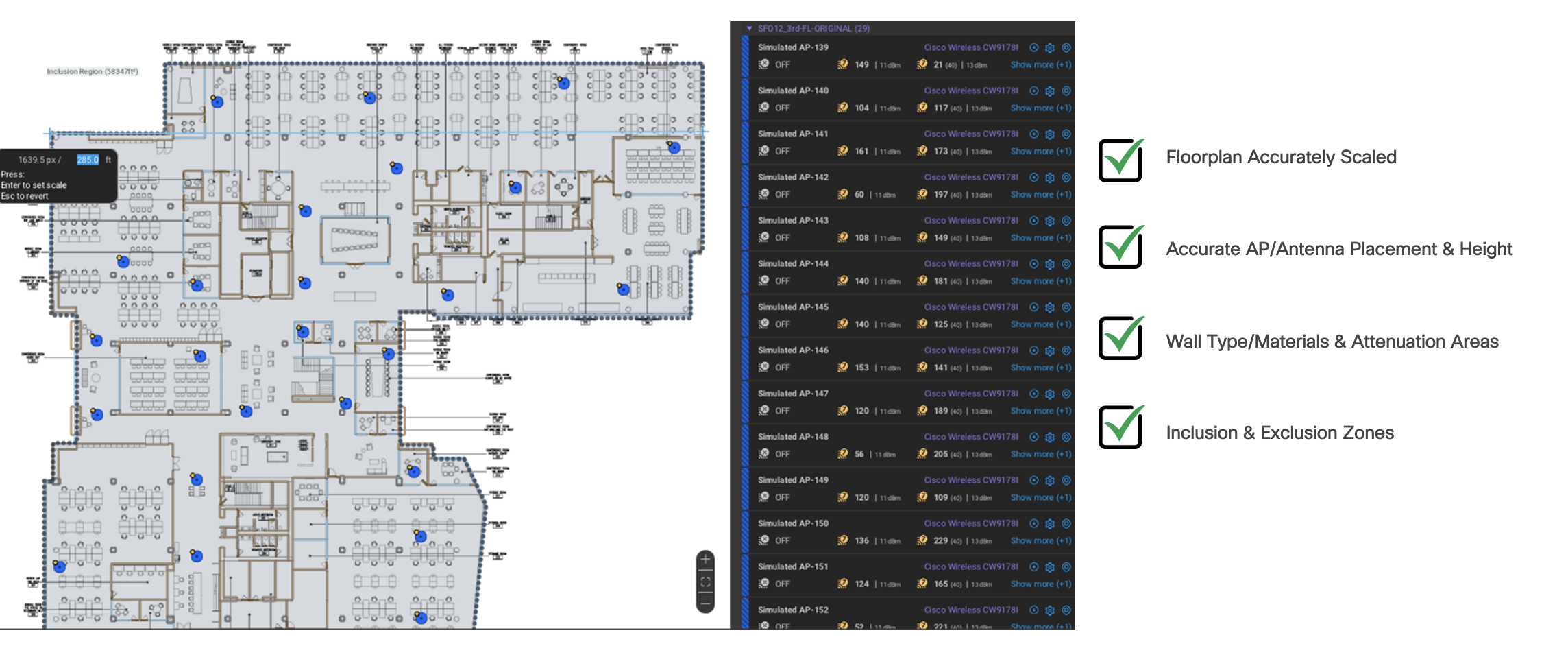
Tip: The same pre-requisites apply if you are working with Hamina.
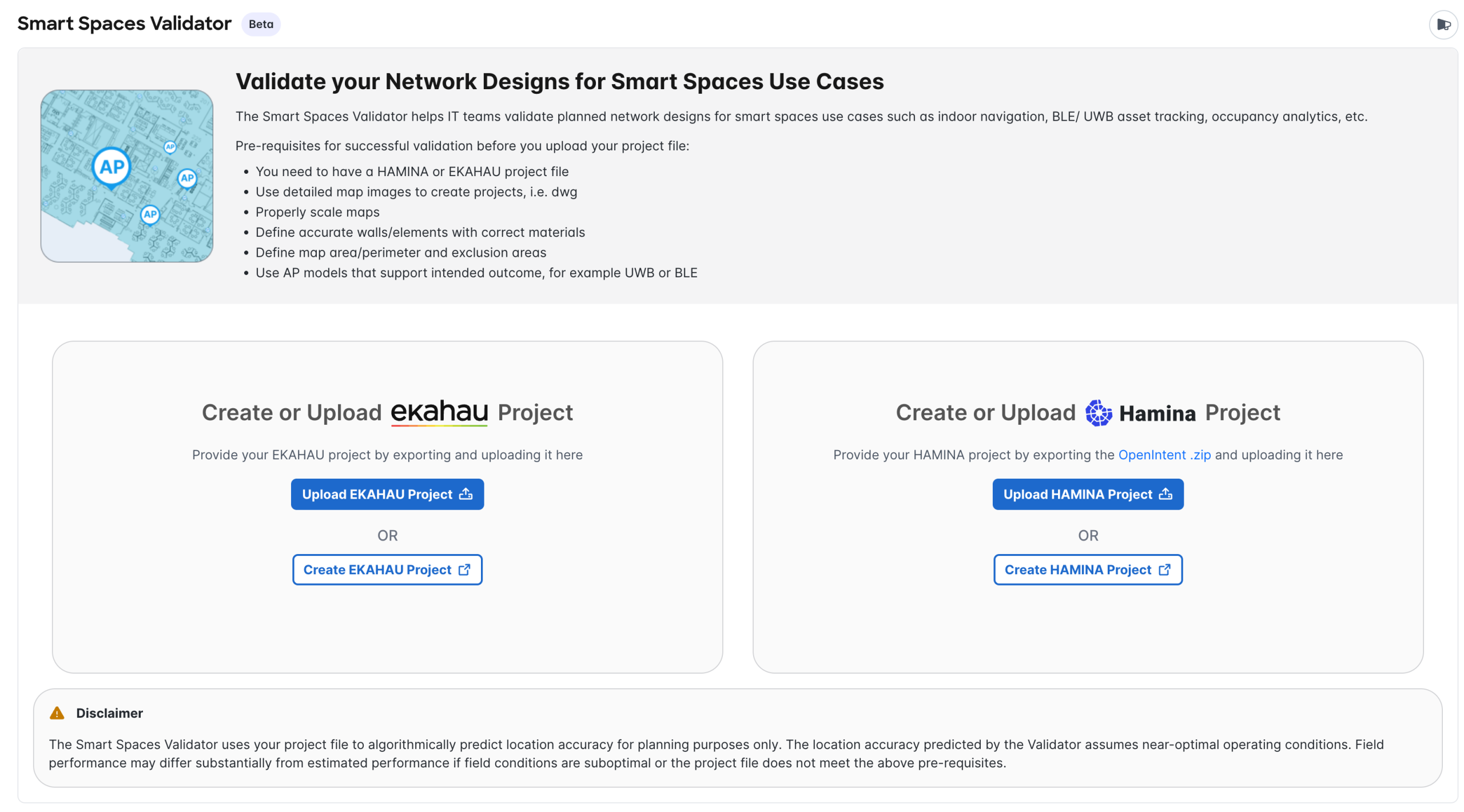
Smart Spaces Validator imports the available Ekahau or Hamina project details, then evaluates the design against smart spaces outcome requirements. During processing, the validator can use information such as floor perimeter, walls, wall types, scale, access point locations, access point models, antenna patterns, antenna direction, and exclusion areas/zones when those details are available in the uploaded project.
After processing, the validator presents a floor overview and outcome-specific predicted accuracy readiness views. These views help teams understand whether the current access point design appears ready for the selected outcome or whether design changes should be reviewed before deployment.
The validator can present different predicted readiness views based on the selected outcome:
The following workflow summarizes how teams can use Smart Spaces Validator during design readiness review.
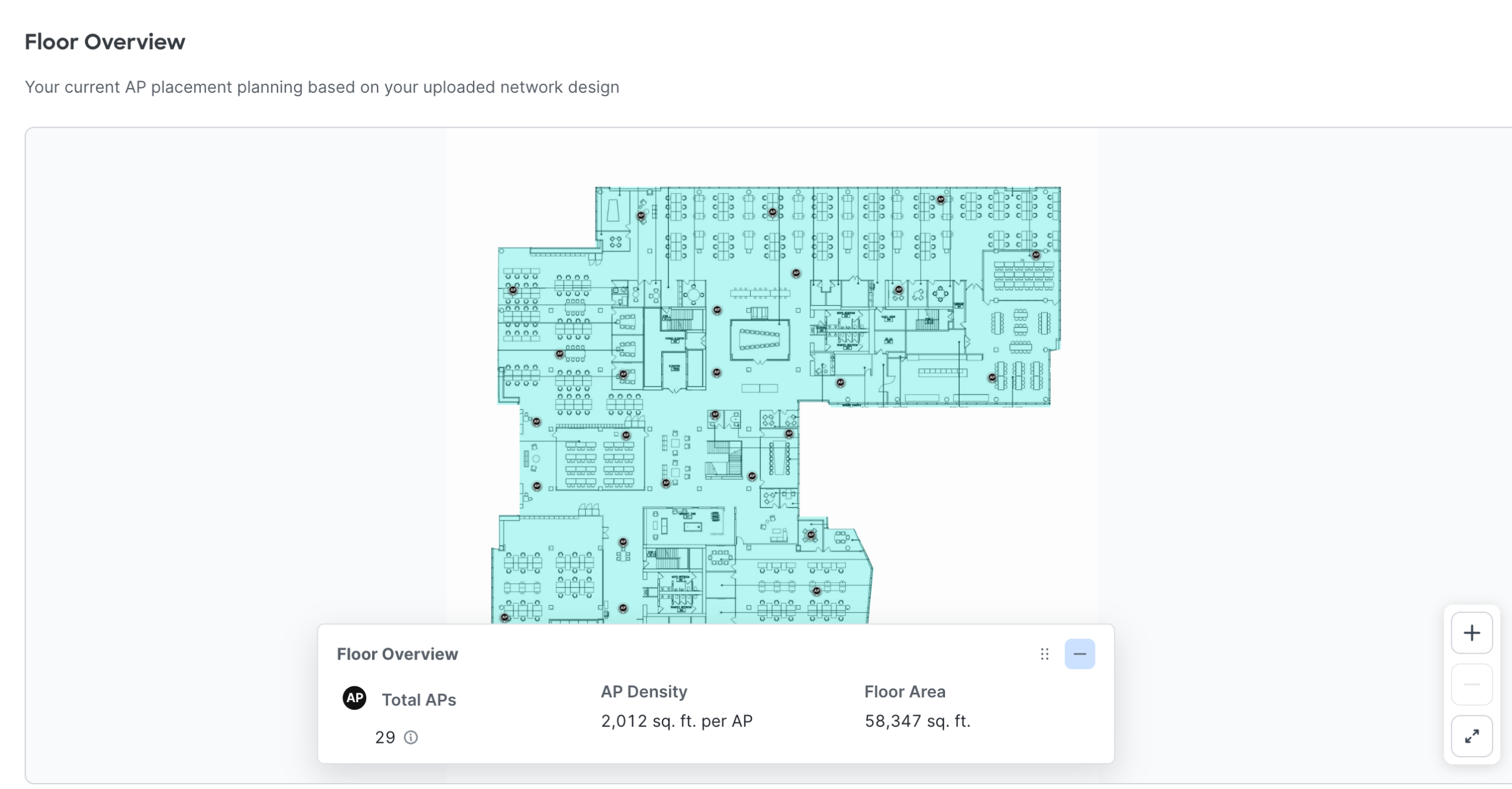
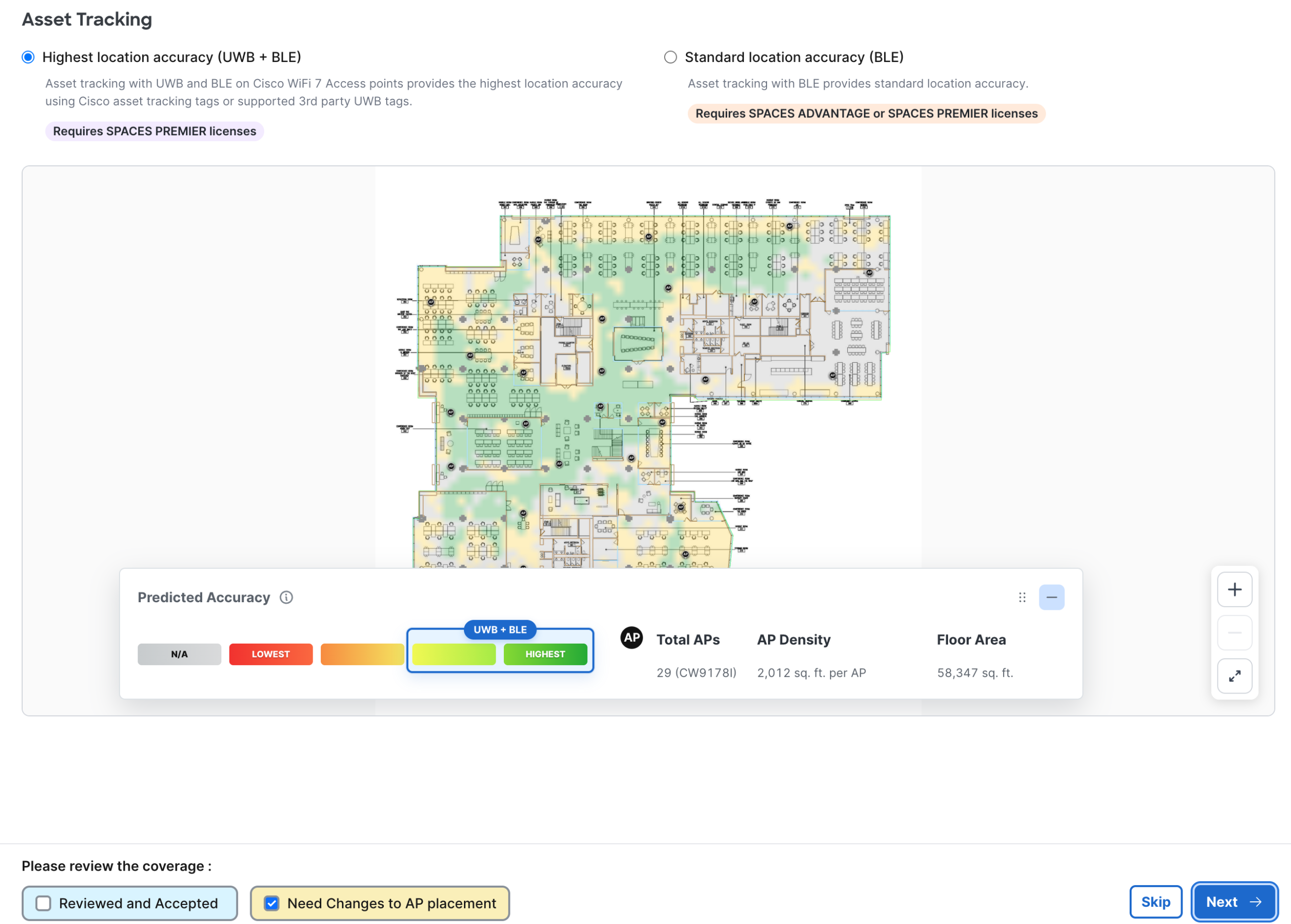
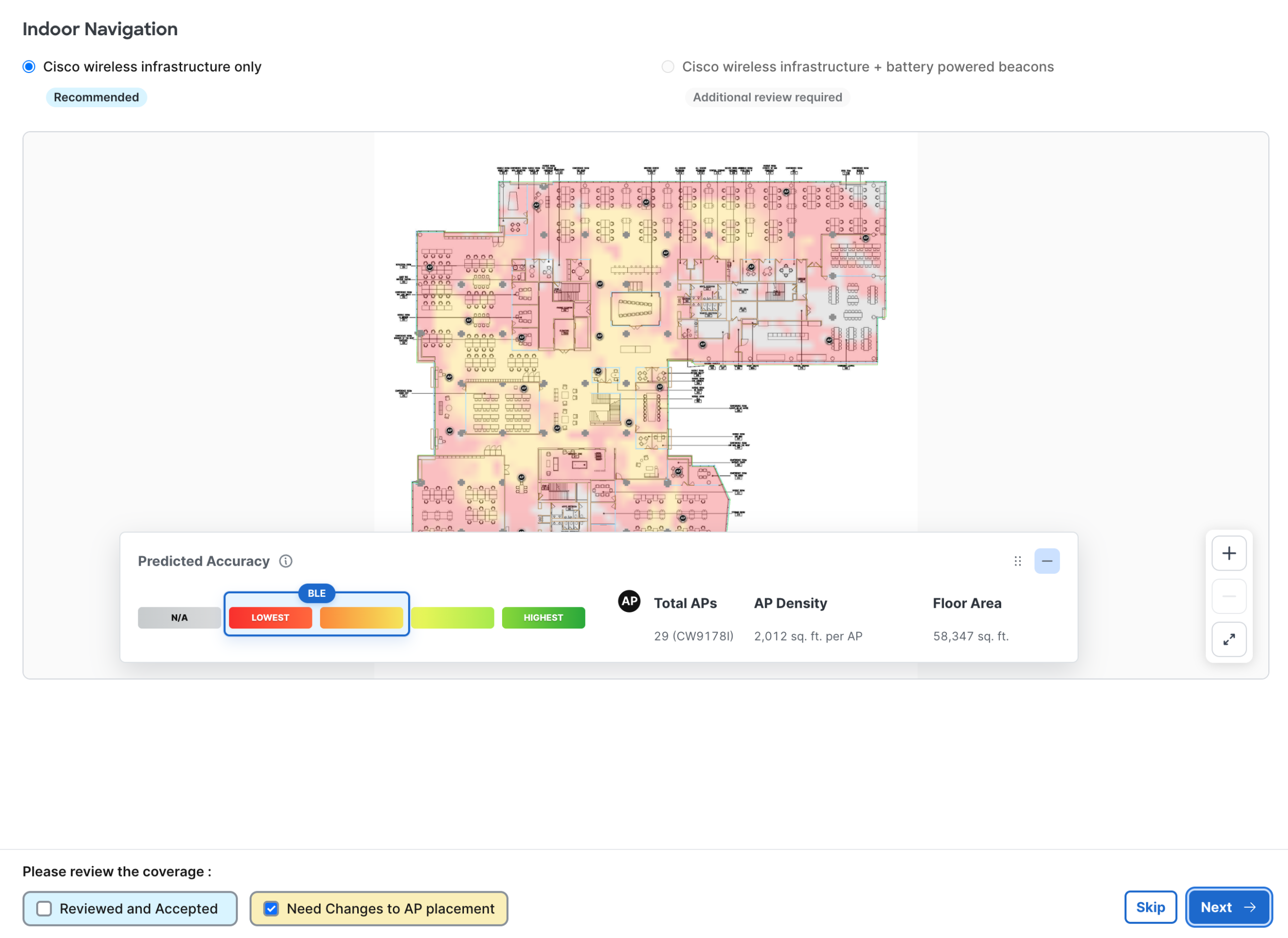
The heatmap legend appears below the floor view and shows the predicted location accuracy across the floor for the outcome being reviewed. The color scale runs from dark green, representing the highest accuracy the design can achieve, through to red, representing the lowest.
The color scale itself does not change when the location accuracy mode changes. What changes is the portion of the scale the design can reach, which is highlighted on the legend for the selected mode.
| Mode | Technologies used | Typical predicted accuracy under ideal conditions |
|---|---|---|
| Highest Location Accuracy | UWB, or Cisco location fusion combining UWB and BLE | Under 2 meters |
| Standard Location Accuracy | BLE only | 3 to 7 meters, and sometimes greater than 7 meters |
Asset Tracking – Highest location accuracy (UWB+BLE):
Highest predicted location accuracy leveraging UWB or a fusion of UWB+BLE can provide an accuracy of sub-2m under ideal conditions. Accuracy level may vary based on actual building conditions and AP deployment.
The heatmap legend will indicate in a blue box which piece of the heatmap is achievable for the selected view as you see in the image below.
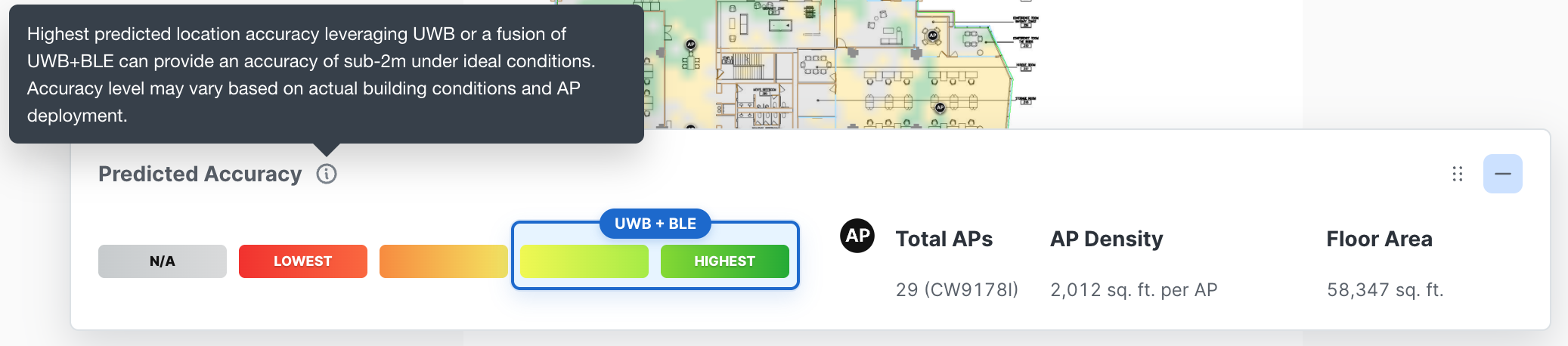
Asset Tracking heatmap legend showing the achievable range for Highest Location Accuracy.
Asset Tracking – Standard location accuracy (BLE):
Standard predicted location accuracy leveraging BLE only can provide an accuracy of 3-7+m under ideal conditions. Accuracy level may vary based on actual building conditions and AP deployment.
The heatmap legend will indicate in a blue box which piece of the heatmap is achievable for the selected view as you see in the image below.
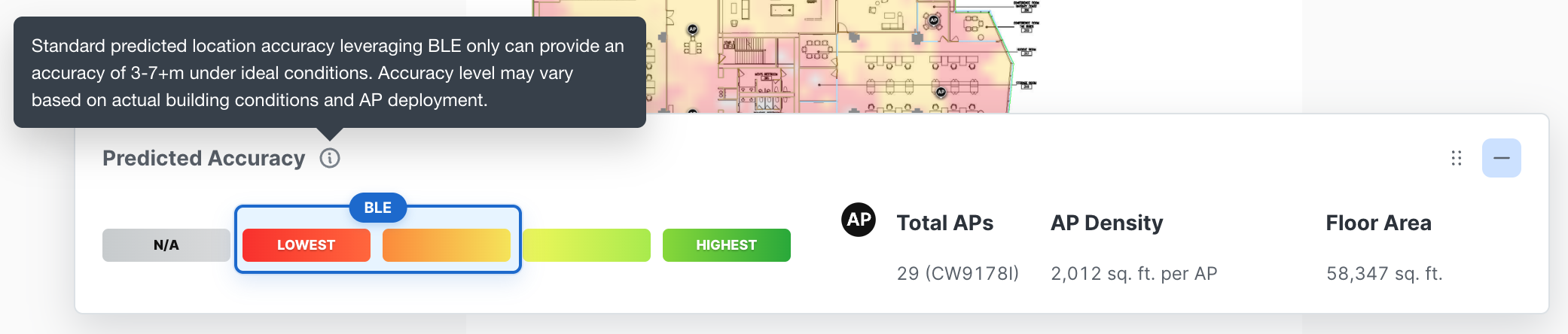
Asset Tracking heatmap legend showing the achievable range for Standard Location Accuracy.
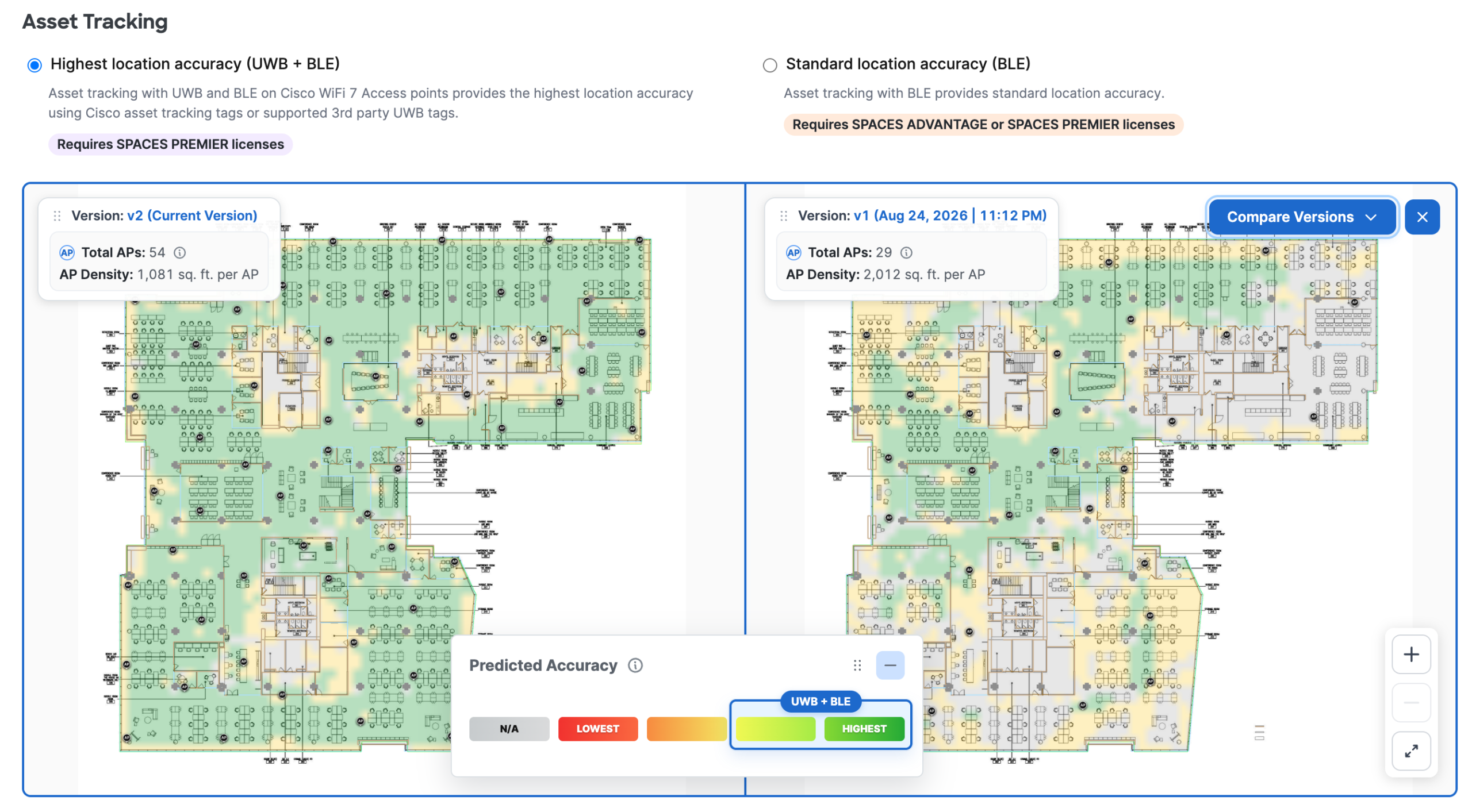
When a design changes, upload the updated project as a new version of the same building. Once a floor has more than one version, the validator can display two versions alongside each other so design changes can be reviewed directly.
Smart Spaces Validator can produce a report at two points in the review. A draft report is available while a project is still being worked on, and a final report is generated once every outcome has been reviewed and accepted.
A draft report is available while one or more floors are still marked as needing changes and the validation has not been completed.
Both the draft and final reports capture what is shown in the validator, including:
The report can be shared with stakeholders inside the organization or externally for design review and follow-up planning.
No. Smart Spaces Validator augments the existing AP planning and design process. Design teams should continue to use their normal RF planning, predictive design, and validation workflows. The validator predicts whether a planned or existing design appears ready for Cisco Spaces smart spaces outcomes.
An RF predictive design is the baseline reference required by Smart Spaces Validator to assess and validate whether your workspace has the readiness to support high precision outcomes e.g indoor navigation/wayfinding, asset tracking or further refinement is needed.
The validator requires an Ekahau or Hamina RF predictive/planning project that follows the recommended pre-requisites mentioned in this guide. Refer to this section of the guide for more info.
The validator is designed for smart spaces outcomes such as indoor navigation, BLE asset tracking, UWB asset tracking, occupancy analytics, and related RTLS scenarios. The available outcome views can vary based on the uploaded project and the Cisco Spaces capabilities enabled for the account.
No. Smart Spaces Validator is focused primarily on assessing and validating BLE and/or UWB characteristics along with our Cisco validated guidelines to ensure your workspace is ready to accurately unlock high precision outcomes. As up to date, the only way to start designing and validating for BLE and UWB is via an RF predictive design which includes “planned APs”. Depending on the size of the project, RF Validation survey files include “measured APs” and typically those projects are huge in size easily exceeding 100MB upload limit supported today.
Review the affected areas with the design team, update access point placement or model selection in Ekahau or Hamina, and upload a new version for comparison. Use the generated report to discuss design changes with IT, partner, and business stakeholders.
Yes, the validator can help assess planned or existing designs. If the physical installation differs from the uploaded design, update the project to reflect the installed state and perform normal post-deployment validation before treating the outcome as ready.
No. Smart Spaces Validator augments the existing AP planning and design process. Design teams should continue to use their normal RF planning, predictive design, and validation workflows. The validator predicts whether a planned or existing design appears ready for Cisco Spaces smart spaces outcomes.
An RF predictive design is the baseline reference required by Smart Spaces Validator to assess and validate whether your workspace has the readiness to support high precision outcomes e.g indoor navigation/wayfinding, asset tracking or further refinement is needed.
The validator requires an Ekahau or Hamina RF predictive/planning project that follows the recommended pre-requisites mentioned in this guide. Refer to this section of the guide for more info.
The validator is designed for smart spaces outcomes such as indoor navigation, BLE asset tracking, UWB asset tracking, occupancy analytics, and related RTLS scenarios. The available outcome views can vary based on the uploaded project and the Cisco Spaces capabilities enabled for the account.
No. Smart Spaces Validator is focused primarily on assessing and validating BLE and/or UWB characteristics along with our Cisco validated guidelines to ensure your workspace is ready to accurately unlock high precision outcomes. As up to date, the only way to start designing and validating for BLE and UWB is via an RF predictive design which includes “planned APs”. Depending on the size of the project, RF Validation survey files include “measured APs” and typically those projects are huge in size easily exceeding 100MB upload limit supported today.
Review the affected areas with the design team, update access point placement or model selection in Ekahau or Hamina, and upload a new version for comparison. Use the generated report to discuss design changes with IT, partner, and business stakeholders.
Yes, the validator can help assess planned or existing designs. If the physical installation differs from the uploaded design, update the project to reflect the installed state and perform normal post-deployment validation before treating the outcome as ready.